- Partners
- Contact Us
- Log in
RingCentral vs Google Voice: Compare Pricing & Features
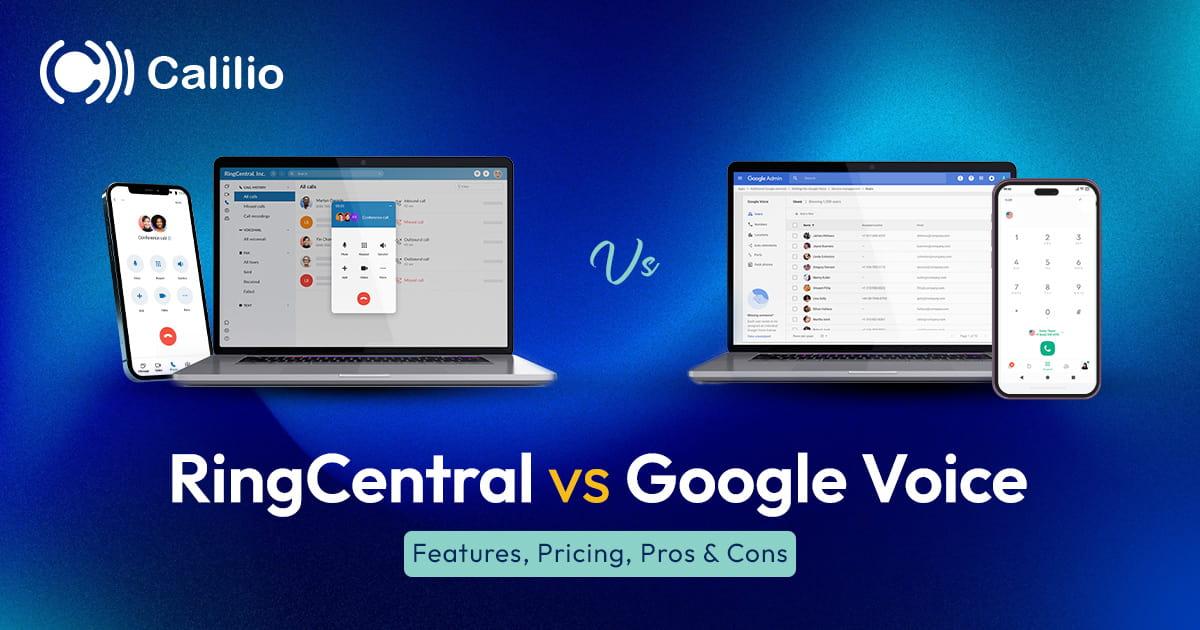

RingCentral and Google Voice both help businesses handle calls, texts, and voicemail, but they solve different problems. RingCentral is built for teams that need a full business phone system with routing, analytics, integrations, meetings, messaging, and admin control. Google Voice is built for simpler calling inside Google Workspace.
The real difference shows up when your team starts growing. Google Voice can work well when you only need a low-cost business number. RingCentral becomes more useful when calls move across sales, support, departments, locations, and customer-facing workflows.
Key Highlights:
RingCentral is better for teams that need advanced call routing, IVR, call queues, analytics, integrations, messaging, video meetings, and stronger admin control.
Google Voice is better for freelancers, startups, and small teams that need calling, texting, voicemail, and call forwarding inside Google Workspace.
Google Voice costs less and is easier to set up, but it becomes limited when teams need sales routing, support queues, CRM integrations, or detailed reporting.
RingCentral gives growing teams more room to manage departments, remote users, customer calls, internal communication, and multi-location phone workflows.
The better choice depends on whether your business needs a simple phone number or a complete business phone system.
RingCentral vs Google Voice: Quick Comparison
RingCentral wins on advanced business communication features. Google Voice wins on simplicity and lower monthly cost.
Factor | RingCentral | Google Voice | Better Choice |
| Best for | Growing teams, sales teams, support teams, remote teams, and multi-location businesses | Individuals, freelancers, startups, and teams already using Google Workspace | Depends on team size |
| Starting price | Core: $20/user/month (when billed annually) | Starter: $10/user/month | Google Voice |
| Call routing | IVR, auto attendant, call queues, forwarding, and advanced routing options | Auto attendants and ring groups on higher plans | RingCentral |
| SMS | Business SMS and MMS are available, but usage and compliance limits may apply | Unlimited US texting in available markets | Google Voice for basic texting |
| Call recording | More suitable for teams that need recording across workflows | On-demand recording on Standard and automatic recording on Premier | RingCentral for business use |
| Integrations | Google, Microsoft, Salesforce, Zendesk, HubSpot, and a large app gallery | Mainly Google Workspace | RingCentral |
| Analytics | Business and IT analytics on higher plans | Advanced reporting with BigQuery on Premier | RingCentral |
| Ease of use | Feature-rich but needs more setup | Simple and quick to learn | Google Voice |
| Scalability | Better for growing teams and complex communication needs | Better for simple phone use and smaller teams | RingCentral |
What Is RingCentral?
RingCentral is a cloud-based business communication platform that combines phone calls, messaging, video meetings, fax, analytics, and integrations. Businesses use RingCentral when they need a structured phone system for teams, departments, locations, and customer-facing workflows.
RingCentral is stronger than Google Voice for businesses that need more control over call handling. Its value comes from routing calls to the right people, tracking communication activity, integrating with business apps, and supporting larger teams from one admin environment.
Features
- Business phone numbers and toll-free number options
- Unlimited calling within the US and Canada
- Auto attendant and IVR for structured call routing
- Call queues for sales, support, and front-desk teams
- Call forwarding, transfer, voicemail, and voicemail-to-email
- Team messaging and video meetings
- Business SMS and MMS
- Call recording on supported plans
- Call monitoring and analytics on higher plans
- Integrations with Google, Microsoft, Salesforce, Zendesk, HubSpot, and other business tools
Pros and Cons
Pros Cons✅ Strong call management for teams with higher call volume ❌ Costs more than Google Voice for basic phone needs ✅ Useful for sales, support, remote teams, and multi-location businesses ❌ Setup can feel heavy for solo users and very small teams ✅ Large app gallery and CRM integrations ❌ Some advanced features need higher plans or add-ons ✅ Better analytics and admin control than Google Voice ❌ Business SMS limits and compliance rules need review before heavy texting ✅ Combines phone, messaging, video, fax, and analytics in one platform ❌ The full feature set may be more than simple teams need
Pricing
RingCentral pricing is higher than Google Voice, as it includes a broader communication suite. The lowest plan suits teams that need core phone and collaboration tools, while higher plans add stronger analytics, monitoring, integrations, and storage.
Plan | Annual Billing | Monthly Billing | Best For |
| Core | $20/user/month | $30/user/month | Teams that need core VoIP calling, messaging, and basic business phone features |
| Advanced | $25/user/month | $35/user/month | Teams that need call recording, monitoring, analytics, and CRM integrations |
| Ultra | $35/user/month | $45/user/month | Larger teams that need higher usage limits, advanced analytics, and more storage |
What Is Google Voice?
Google Voice is a cloud phone service that gives users a phone number for calls, texts, voicemail, and call forwarding. It works best for people and small teams that already use Google Workspace and want a simple way to separate business communication from personal phone use.
Google Voice is not built as a full call center or advanced business phone system. Its strength is simplicity, not deep call workflow control.
Features
- Business phone number for calls and texts
- Unlimited domestic calling in available markets
- Unlimited US texting in available markets
- Voicemail transcription
- Call forwarding across devices
- Three-way calling and call transfer
- Auto attendants and ring groups on Standard and Premier plans
- On-demand call recording on Standard and Premier plans
- Automatic call recording and BigQuery reporting on Premier
- Google Workspace integration
Pros and Cons
Pros Cons✅ Lower starting price than RingCentral ❌ Starter plan supports only up to 10 users ✅ Simple setup for teams already using Google Workspace ❌ Limited call routing compared with RingCentral ✅ Useful voicemail transcription and call forwarding ❌ Not ideal for sales or support teams with high call volume ✅ Works well as a second business number ❌ Fewer integrations outside Google Workspace ✅ Good fit for basic calling and texting ❌ Limited analytics unless using Premier with BigQuery
Pricing
Google Voice costs less than RingCentral, but the lower price comes with fewer business phone system features. Its Starter plan is useful for simple phone use, Standard adds more team routing tools, and Premier adds advanced reporting and international billing locations.
Plan | Price | Best For |
| Starter | $10/user/month | Solo users and small teams that need one number, call forwarding, texting, and voicemail transcription |
| Standard | $20/user/month | Teams that need unlimited users, auto attendants, ring groups, call queues, and on-demand recording |
| Premier | $30/user/month | Businesses that need international billing locations, automatic call recording, and BigQuery reporting |
RingCentral vs Google Voice: Detailed Comparison
RingCentral and Google Voice overlap on basic calling, texting, voicemail, and call forwarding. The gap appears when a business needs queues, routing rules, analytics, integrations, and admin visibility across a team.
Pricing and Value
Google Voice is cheaper at the entry level. RingCentral costs more because it includes a broader communication stack for teams that need structured call handling, meetings, analytics, and integrations.
- Pick Google Voice if price is the main concern and your team only needs basic calling.
- Pick RingCentral if call handling, reporting, and integrations matter more than the lowest monthly fee.
Call Routing and Phone System Features
RingCentral is stronger for businesses that need to route calls by department, queue, role, or availability. Google Voice can handle simpler routing with auto attendants and ring groups on higher plans, but it does not match RingCentral for complex call workflows.
- Choose RingCentral for sales, support, reception, and multi-location routing.
- Choose Google Voice for straightforward forwarding and light team routing.
SMS and Voicemail
Google Voice is useful for simple texting and voicemail because users can manage calls, messages, and voicemail from familiar Google tools. RingCentral offers broader business communication options, but teams should review SMS limits, compliance rules, and add-on costs before using it for heavy texting.
- Google Voice is easier for basic one-to-one texting.
- RingCentral is stronger when SMS is part of a wider team communication workflow.
Integrations
RingCentral is the better option for teams that rely on CRM, helpdesk, productivity, and workflow tools. Google Voice stays strongest inside Google Workspace, which makes it simple but less flexible for teams that need deeper app connections.
- Choose RingCentral if your team uses tools such as Salesforce, Zendesk, HubSpot, Microsoft, or workflow apps.
- Choose Google Voice if Gmail, Calendar, and Google Workspace are enough.
Analytics and Reporting
RingCentral gives business teams stronger reporting options for call activity, adoption, and troubleshooting. Google Voice keeps reporting simpler unless the business uses Premier with BigQuery.
- RingCentral suits managers who need team-level visibility.
- Google Voice suits users who only need basic call and voicemail activity.
Ease of Use
Google Voice is easier to understand because it has fewer moving parts. RingCentral needs more setup, but that setup gives growing teams more control over how calls move across the business.
- Google Voice wins for fastest adoption.
- RingCentral wins when setup complexity creates useful business control.
Scalability
RingCentral scales better for growing teams because it supports deeper routing, analytics, integrations, and administration. Google Voice scales well for simple Google Workspace phone needs, but its limits show when call volume and team complexity increase.
- RingCentral is better for growing sales and support operations.
- Google Voice is better for simple communication that does not need advanced workflows.
Who Should You Choose: RingCentral or Google Voice?
The right choice depends on how complex your calling needs are. RingCentral is stronger when the phone system supports real business workflows. Google Voice is stronger when the team needs a simple, low-cost number without heavy setup.
Choose RingCentral If
- Your team handles frequent sales, support, or front-desk calls across departments.
- You need IVR, call queues, call monitoring, and detailed analytics.
- Your business uses CRM or helpdesk tools and needs call activity connected to customer records.
- You manage users across multiple locations, departments, or remote teams.
- Your company wants calling, messaging, video meetings, and fax inside one platform.
Choose Google Voice If
- You are a freelancer, solo operator, startup, or small team with straightforward calling needs.
- Your business already runs on Google Workspace and wants phone service inside that ecosystem.
- You need calling, texting, voicemail, and call forwarding without complex routing or admin setup.
- You want a separate business number without paying for a full communication platform.
- Your team does not need advanced call center features, deep CRM integrations, or multi-site admin control.
Want a Better Business Phone System?
Calilio helps growing teams manage business calls, SMS, routing, call recordings, virtual numbers, and AI call reports from one affordable cloud phone system.
Final Verdict: RingCentral vs Google Voice
Choosing between RingCentral and Google Voice comes down to how your business handles calls today and how much you expect that need to grow.
Google Voice is better for individuals and small teams that already work inside Google Workspace and only need basic calling, texting, voicemail or call forwarding.
RingCentral is the better choice for growing or large businesses that need advanced call management features. The price is higher, but the advanced routing, analytics, admin control, and collaboration tools make sense for bigger teams with complex workflows.
If Google Voice feels too limited and RingCentral feels too expensive or heavy, Calilio’s business phone system gives you a suitable alternative. You get advanced business phone features such as virtual numbers, call routing, IVR, shared numbers, SMS, call recording, call notes, call analytics, and AI call reports at an affordable price.
Sign up for Calilio!!



Summarize this blog with:
Frequently asked questions
Is RingCentral better than Google Voice?
RingCentral is better than Google Voice for teams that need advanced call routing, analytics, integrations, video meetings, and admin control. Google Voice is better for simple calling, texting, voicemail, and Google Workspace use.
Is Google Voice cheaper than RingCentral?
Can Google Voice replace RingCentral?
Does RingCentral work with Google Workspace?
Is Google Voice good for business?
Which is better for sales teams, RingCentral or Google Voice?
Which is easier to set up, RingCentral or Google Voice?
What is a good alternative to RingCentral and Google Voice?

Still have questions?
Can’t find the answer you’re looking for? Please chat with our friendly team.
Stay in the loop
Get the latest call insights, trends, and updates delivered straight to your inbox.
By subscribing, you agree to receive updates from Calilio.
You can unsubscribe anytime.
Enter the World of AI Business Phone System with Calilio
Improve your business operation with Calilio's advanced virtual phone system. Join today for a better way to connect.